PlayStre
Keeping creators in control from idea to playable game.
PlayStre is a game creation platform that lets nontechnical creators turn their ideas into playable games by describing what they want, directing the system, and refining the results.

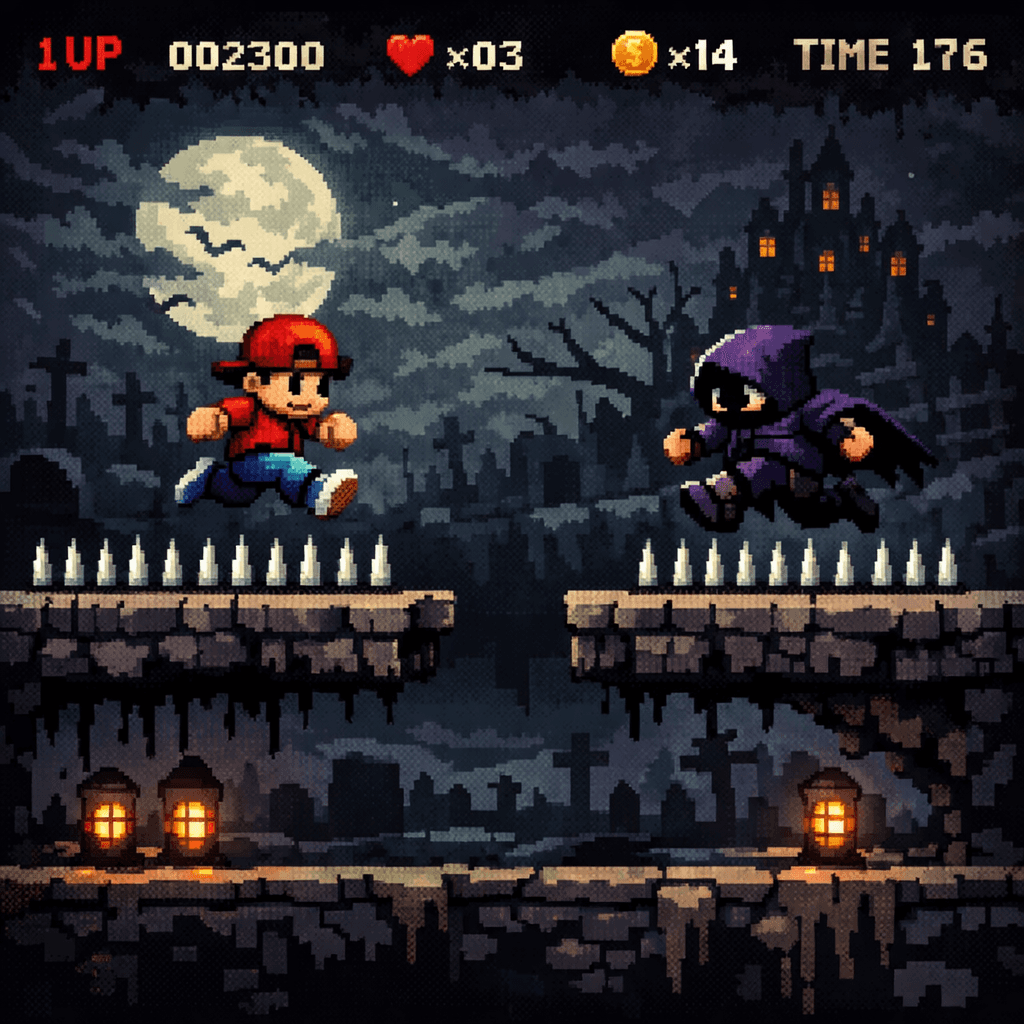



Role: Lead product designer
Team: Product managers and engineers
My focus: Game creation flow, Builder workspace, Live Editor, and interaction states
Status: Working MVP built
Overview
Designing a creative tool for nontechnical game creators
Many people have ideas for games but lack the technical skills to build them. Traditional game engines offer extensive control, but require learning complex tools and workflows.
PlayStre explores a different approach: creators describe what they want to make, the system generates a playable game, and they guide how it evolves.
As Lead Product Designer, I shaped the creation experience, from expressing an initial idea to refining a game through an interactive Builder.
The challenge
How do we simplify game creation without limiting creative control?
Generating a playable game is only the beginning. The first result may not match what someone imagined, and creators need ways to experiment, make adjustments, and develop their ideas further.
The challenge was to balance three needs:
- Simplicity: Make creation approachable without technical knowledge.
- Control: Give creators ways to direct and refine the outcome.
- Clarity: Make system actions understandable, especially when results are unpredictable.
The creator directs, the system executes.
Designing the experience
From an idea to a game you can play and shape
I structured the experience around an iterative creation flow:

Creators begin by expressing an idea. The system generates a playable game, which becomes the starting point for further exploration.
Rather than ending at generation, the experience allows creators to play, make changes, and continue developing their games through the Builder.
Key design decisions
Support two ways to start creating
Not every creator begins with a clear vision. Some know exactly what they want, while others need help developing an idea.
The initial design combined direct prompting and guided creation on one screen, introducing competing paths and unnecessary complexity.
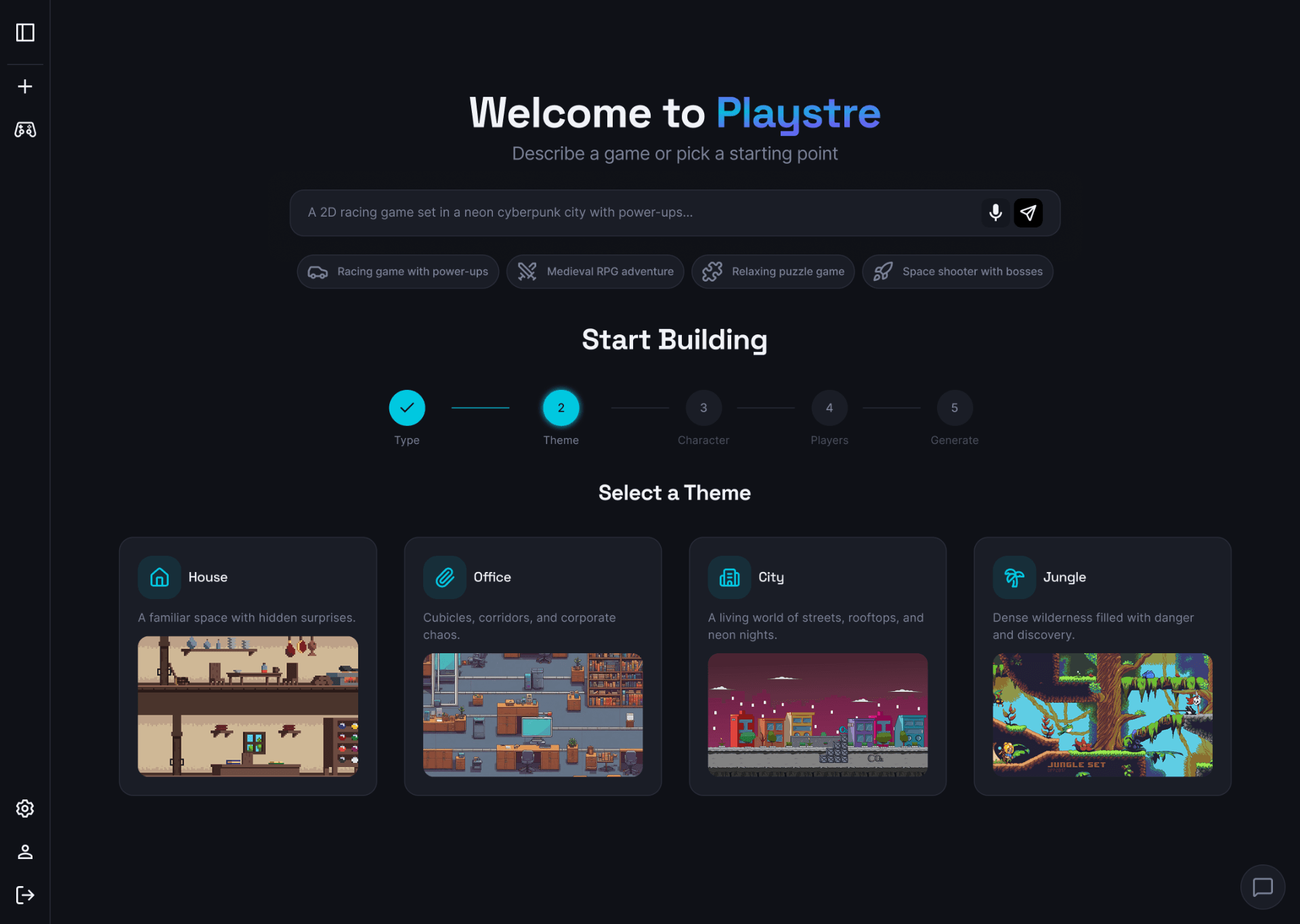
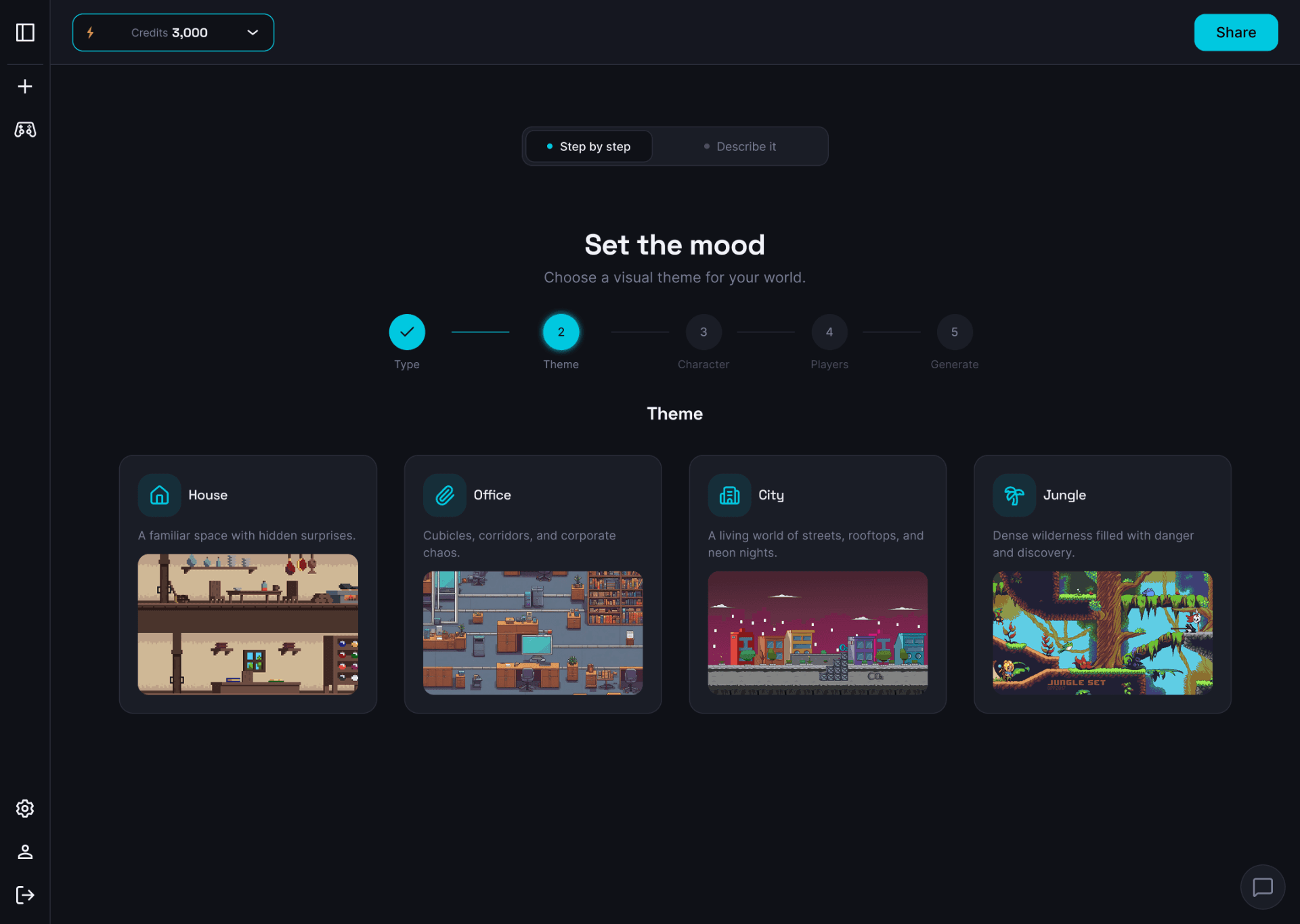
I separated them into two focused experiences:
- Direct prompting: For creators ready to describe their game.
- Guided creation: For those who prefer to develop an idea through structured choices.
This introduced two flows to maintain, but gave each approach a clearer starting point.
Bring gameplay and editing into one workspace
A generated game may be playable, but it is not necessarily what the creator imagined.
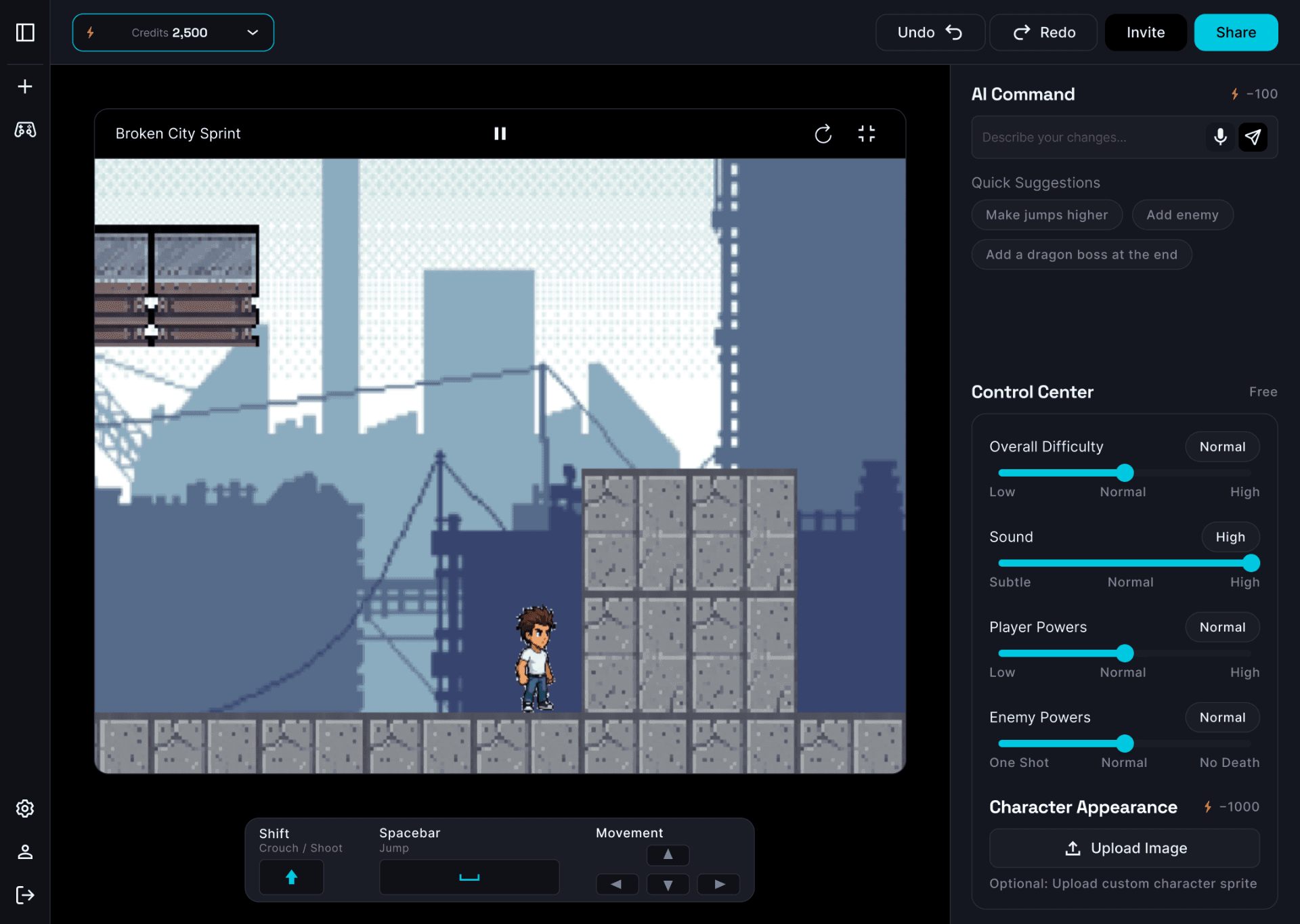
I designed the Builder around an editable game draft, allowing creators to play and modify the result within the same workspace.
The Live Editor offered three complementary ways to make changes:
| 01 | AI commands | Describe changes using natural language. |
|---|---|---|
| 02 | Manual controls | Adjust specific game settings. |
| 03 | Sprite generation | Create, preview, and refine individual visual assets. |
Together, these interactions supported both broad creative direction and precise adjustments without requiring creators to write code.
The goal was to make editing a natural continuation of playing, rather than a separate technical workflow.
Make system actions visible and reviewable
When creators request changes, they need to understand what the system is doing and whether the result matches their intent.
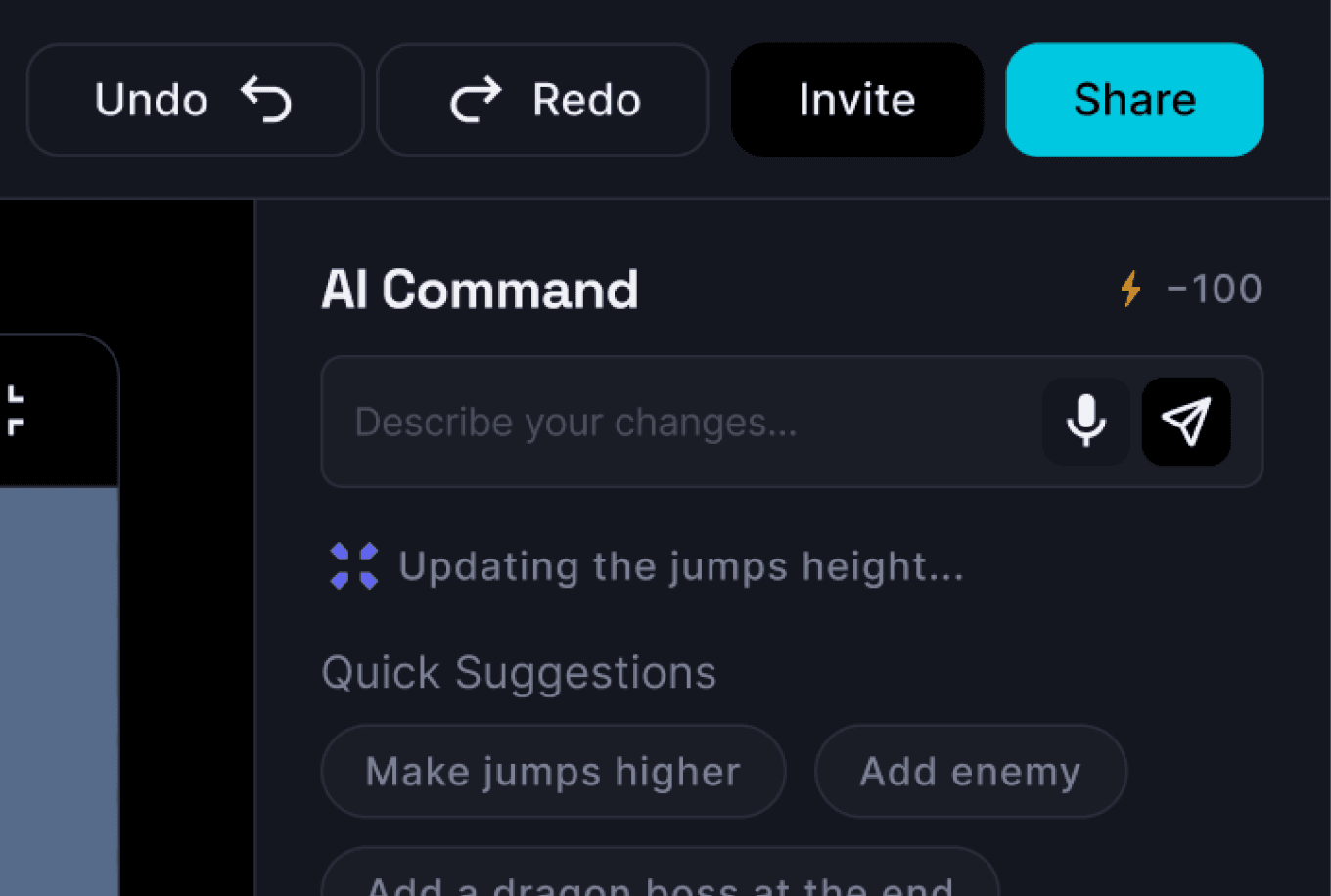
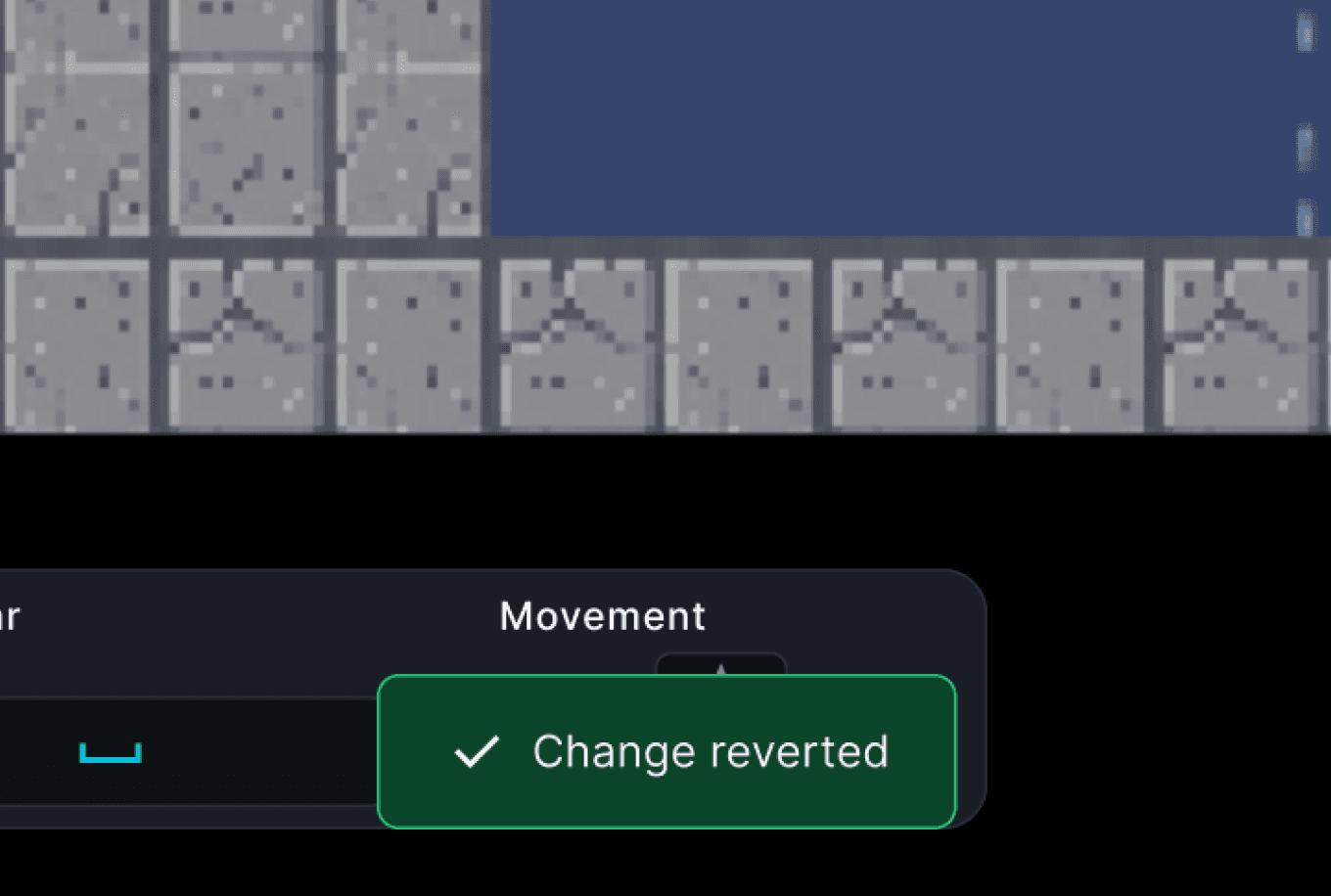
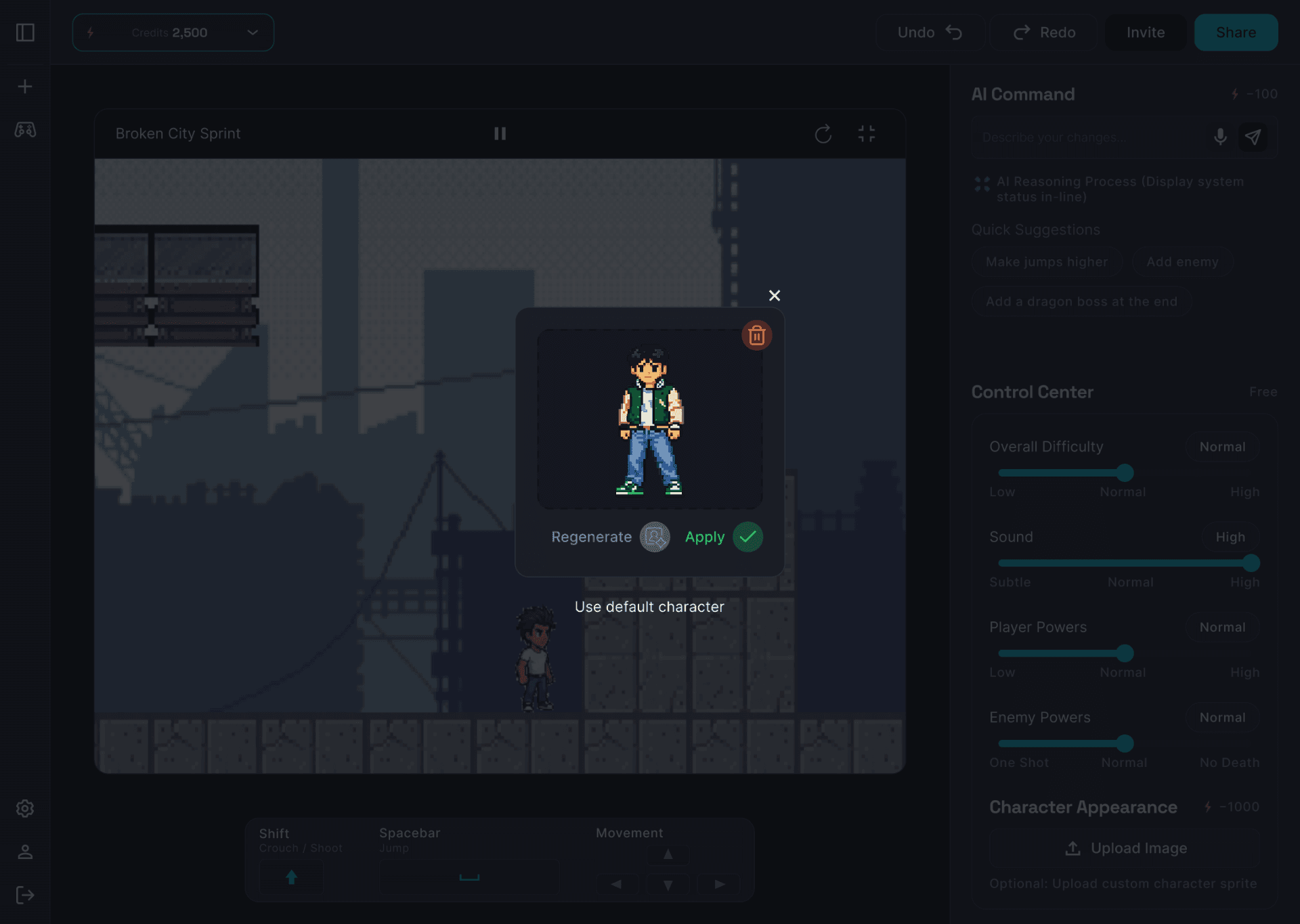
I designed feedback for key interaction moments:
- Processing: Indicate when a command is being executed.
- Confirmation: Communicate when a change has been applied or reverted.
- Asset preview: Allow creators to review, regenerate, or accept sprites before applying them.
These interactions added moments for review and correction, helping creators understand system behavior and make more deliberate decisions.
Bringing it together
The Builder: play and edit in one workspace
I translated these design decisions into the working MVP.
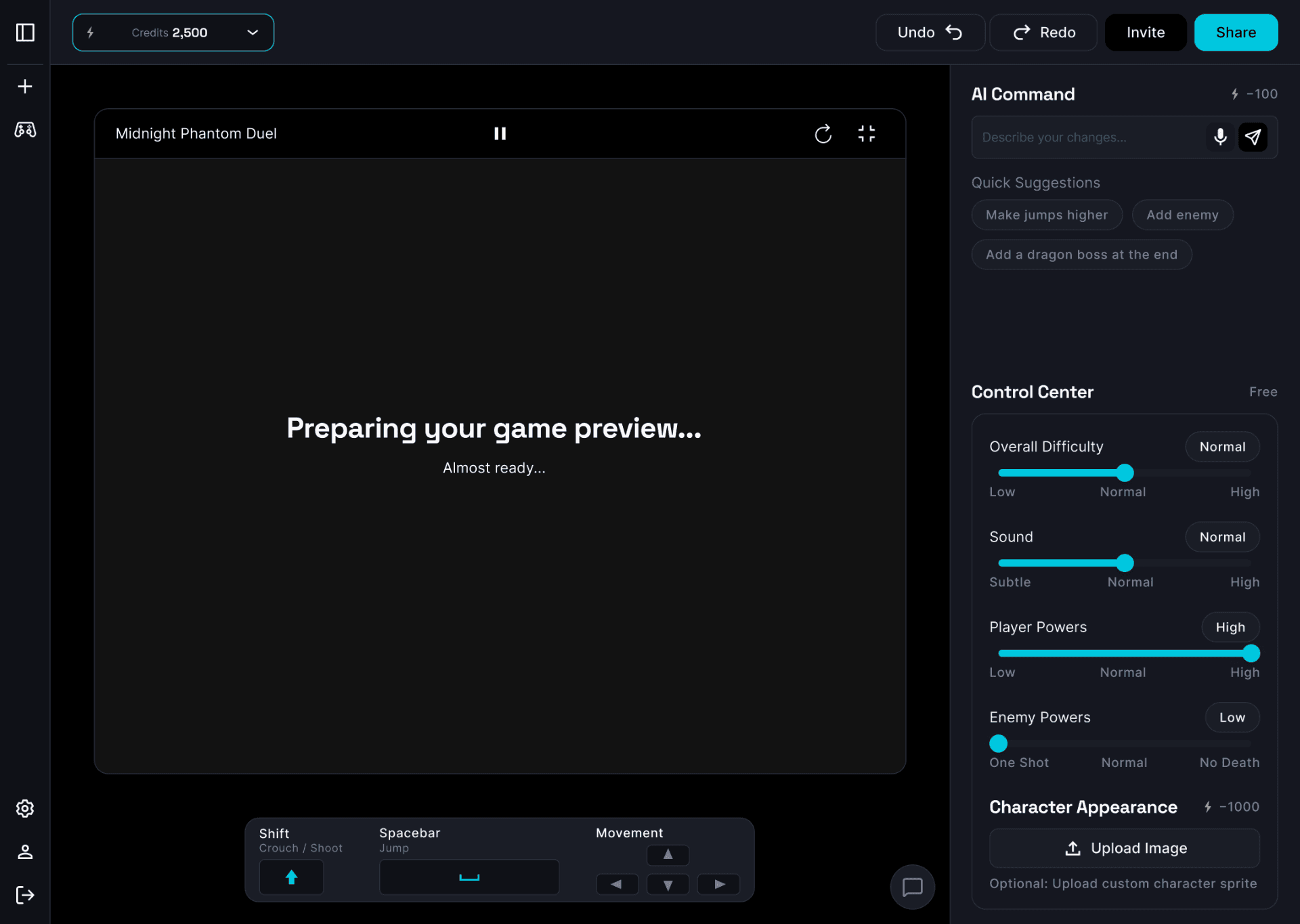
The Builder brought gameplay, natural-language commands, manual editing controls, and visual asset creation into one experience.
Creators could move between playing and editing without switching between separate tools, making iteration part of the creation workflow.
One important limitation remained: creators could refine a game after generation, but could not redirect the system while the initial game was being generated.
The MVP prioritized a working generation-to-editing experience, leaving earlier opportunities for intervention to future exploration.
Outcome and reflection
What we delivered
After eight weeks, PlayStre had a working MVP connecting game generation, gameplay, and iterative editing.
Game generation took under 2 minutes, meeting the product's performance target.
The MVP demonstrated a complete creation-to-editing flow, allowing creators to move from a text description to a playable game they could modify through the Builder.
What I learned
PlayStre taught me that designing creative tools goes beyond simplifying how something is generated.
The harder challenge is connecting an initial idea to a workflow where people can inspect, experiment with, and refine what they've created.
Designing the Builder pushed me to think about how different interaction methods can work together without making the experience feel like a traditional development environment.
What I'd explore next
Two opportunities emerged from the limitations of the MVP.
Earlier intervention. Let creators explore or redirect possible game directions before generation finishes, rather than correcting the result afterward.
Direct editing. Allow creators to select and modify elements directly on the game canvas, reducing the distance between seeing something and changing it.
Both would require testing to understand whether additional control makes creation more intuitive or introduces unnecessary complexity.
